Verification Process (KYB)
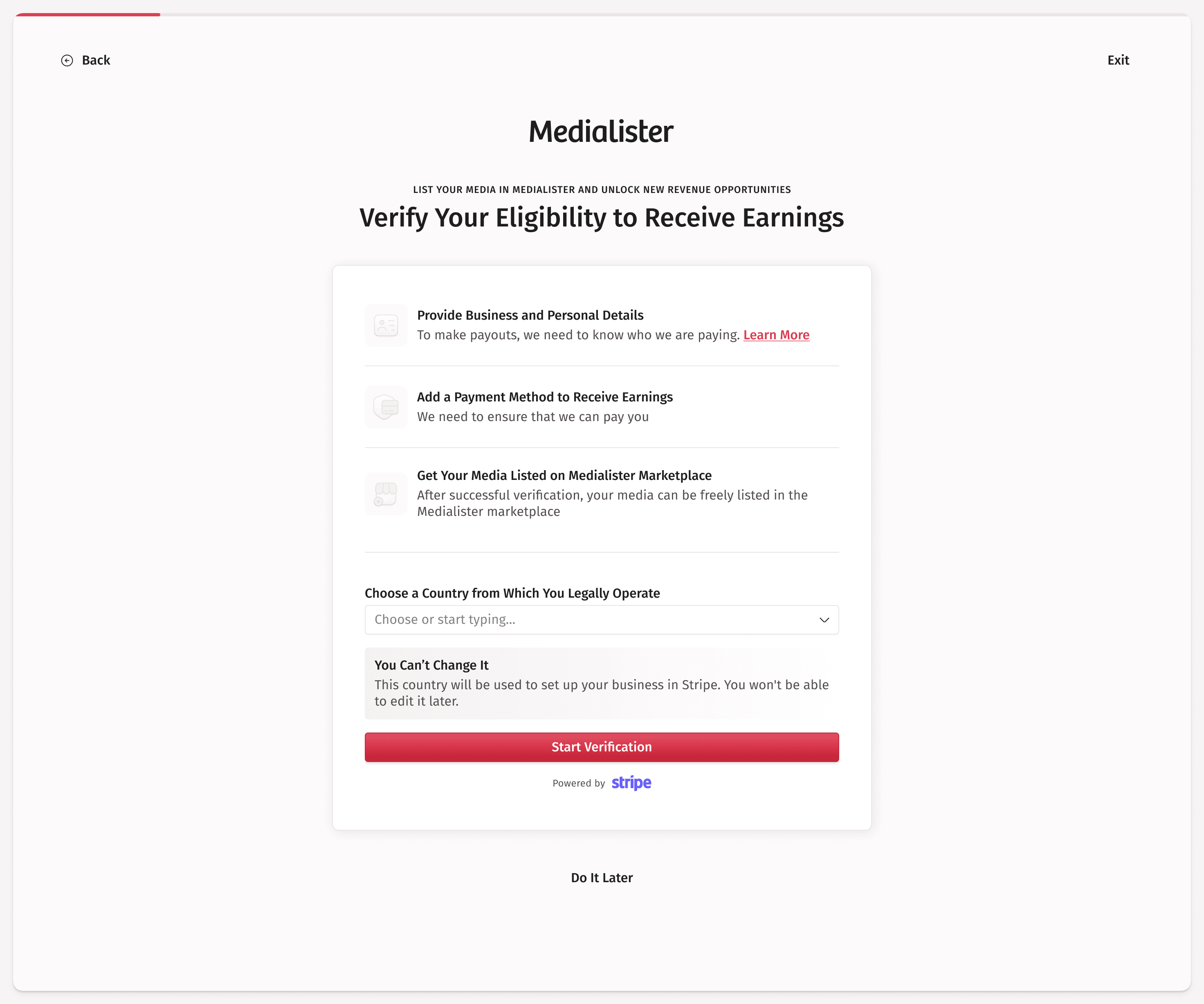
To ensure a safe and compliant marketplace, Medialister requires all organizations that want to list media in the marketplace to complete a Know Your Business (KYB) verification process.
Why Is KYB Verification Required?
Marketplace Access: Only verified organizations can list media and formats for sale.
Payouts: You must complete KYB to withdraw your earnings.
Compliance: KYB is a legal requirement to prevent fraud, money laundering, and to comply with international regulations.
Trust & Security: Verified organizations help maintain a trustworthy environment for all users.
Verified Media Mark: Once verified, a verified icon (✔) appears next to your site name in the marketplace, signaling authenticity to clients browsing for media.
How Does the KYB Process Work?
Before starting the verification process, ensure you have access to your business documents to confirm your business details and a payment method, such as your bank account information. If you do not have access, you can invite someone to your organization who can complete the KYB process.
Initiate Verification
When you add media, you will be prompted to start the KYB process if you haven't done so already.
You must select the country where your business is registered.
Submit Documents via Stripe
After selecting the country, you will be redirected to Stripe's secure onboarding flow.
Stripe will request documents and information based on your business type and country. This may include:
Business registration documents
Proof of address
Identification for business owners or directors
The bank account where you want to receive withdrawals
Verification in Progress
While your organization is not verified, a red warning will appear in the header of your Publisher dashboard.
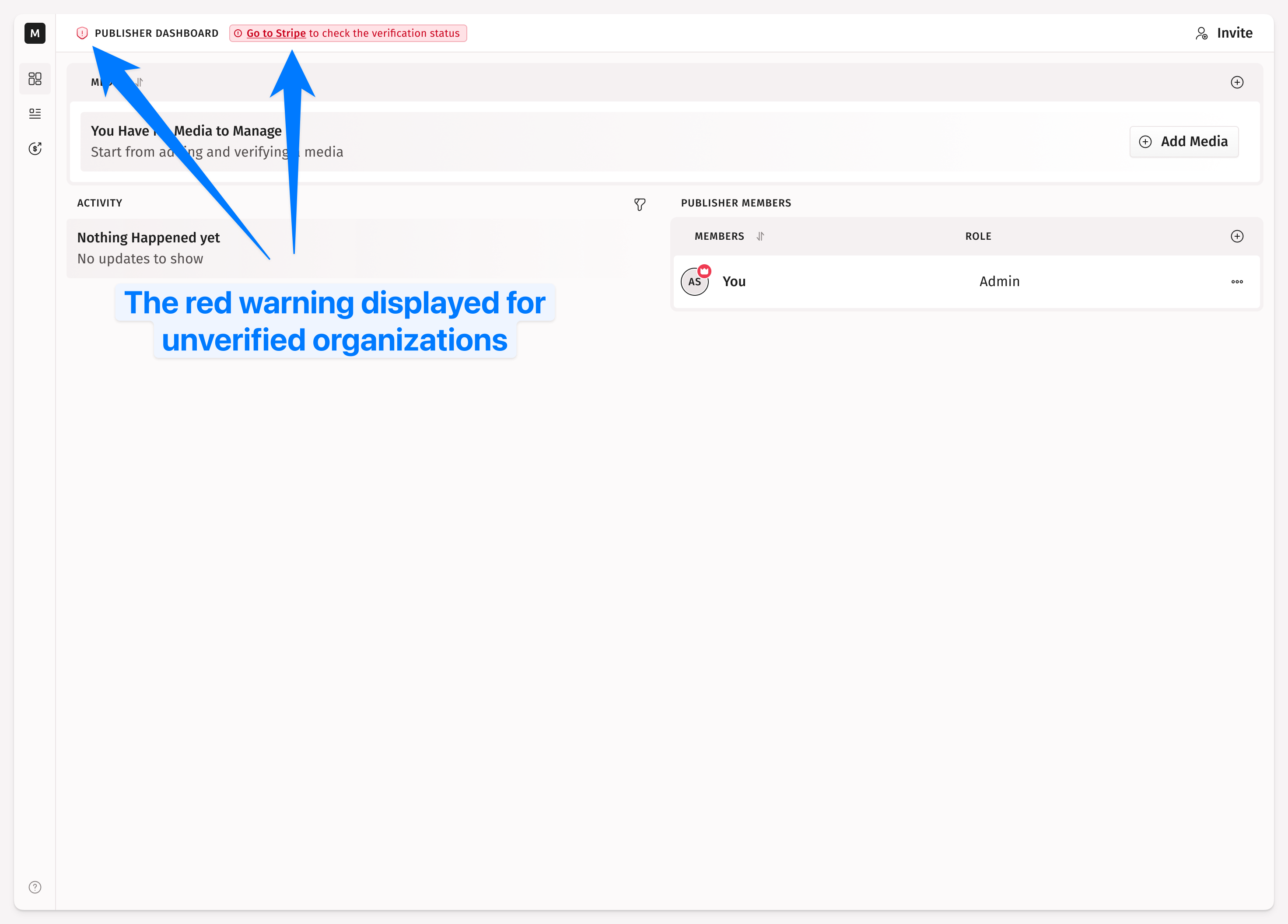
This warning links directly to your Stripe verification status page, where you can check progress, continue where you left it, or upload additional documents if requested.
Completion
Once Stripe approves your documents, Medialister will automatically mark your organization as Verified.
You will receive a notification, and the red warning will change to a green indicator, showing that your organization is verified and eligible to be listed in the marketplace and receive payouts.
A verified icon will also appear next to your site name in the marketplace, visible to all clients.
🎉 You can now list your media in the marketplace and receive payouts.
Tip: While the verification is in process, you can freely add your media and different format offers. You'll be able to list them all once the KYB is complete.
Stripe can also ask for more information after you're already verified, for example if a requirement becomes due again or an account gets flagged. When that happens, Medialister pauses your payouts and shows an alert on the withdrawal page and in the balance popup with a Go to Stripe button to resolve it. See Payouts for details on the alert tiers.
What Countries Are Supported
You can find the full list of countries supported by Stripe Connect for payouts at this link: https://docs.stripe.com/connect/cross-border-payouts#supported-countries
Quick FAQ
QUESTION | ANSWER |
|---|---|
Who needs to complete KYB? | All organizations wishing to list media or receive payouts |
How long does verification take? | Usually a few minutes to a few days, depending on document review |
Can I list media before KYB is done? | No, listing is only available after successful verification |
Where do I check my KYB status? | In your Publisher dashboard header, a red warning indicates that you're not verified, while a green indicator signifies the opposite |
What if my documents are rejected? | Stripe will notify you and request additional or corrected documents |
Can I log in with my existing Stripe Connect account? | Even though you're logging in with your existing company Stripe Connect account, Stripe still needs to create a connected version of that account for this platform—that's why it asks for verification again |
Will clients see that I'm verified? | Yes. After completing KYB, a verified icon appears next to your site name in the marketplace list and on the site details page |
What if Stripe asks for more information after I'm verified? | Payouts pause until it's resolved. Go to the withdrawal page or the balance popup and click Go to Stripe to complete the missing details |
Where do I add my bank details for withdrawals? | In Stripe's onboarding flow, which opens when you start KYB. There is no separate bank form in Medialister |