Marketplace Search
How to search for media and bookmarks
How to Search the Marketplace
Find media outlets fast using the search bar at the top of the marketplace.
Press ⌘ + S (Mac) or Ctrl + S (Windows) to open it instantly.
Search works as you type and looks through media names and your bookmark folders. If a search query is too broad to show in the opened search modal, click Show More to see all of the media in the marketplace table.
Bulk Site Checker
Need to check multiple domains at once? Switch to the bulk search mode, and paste up to 5,000 URLs directly into the search bar to instantly see which domains are available in our marketplace.
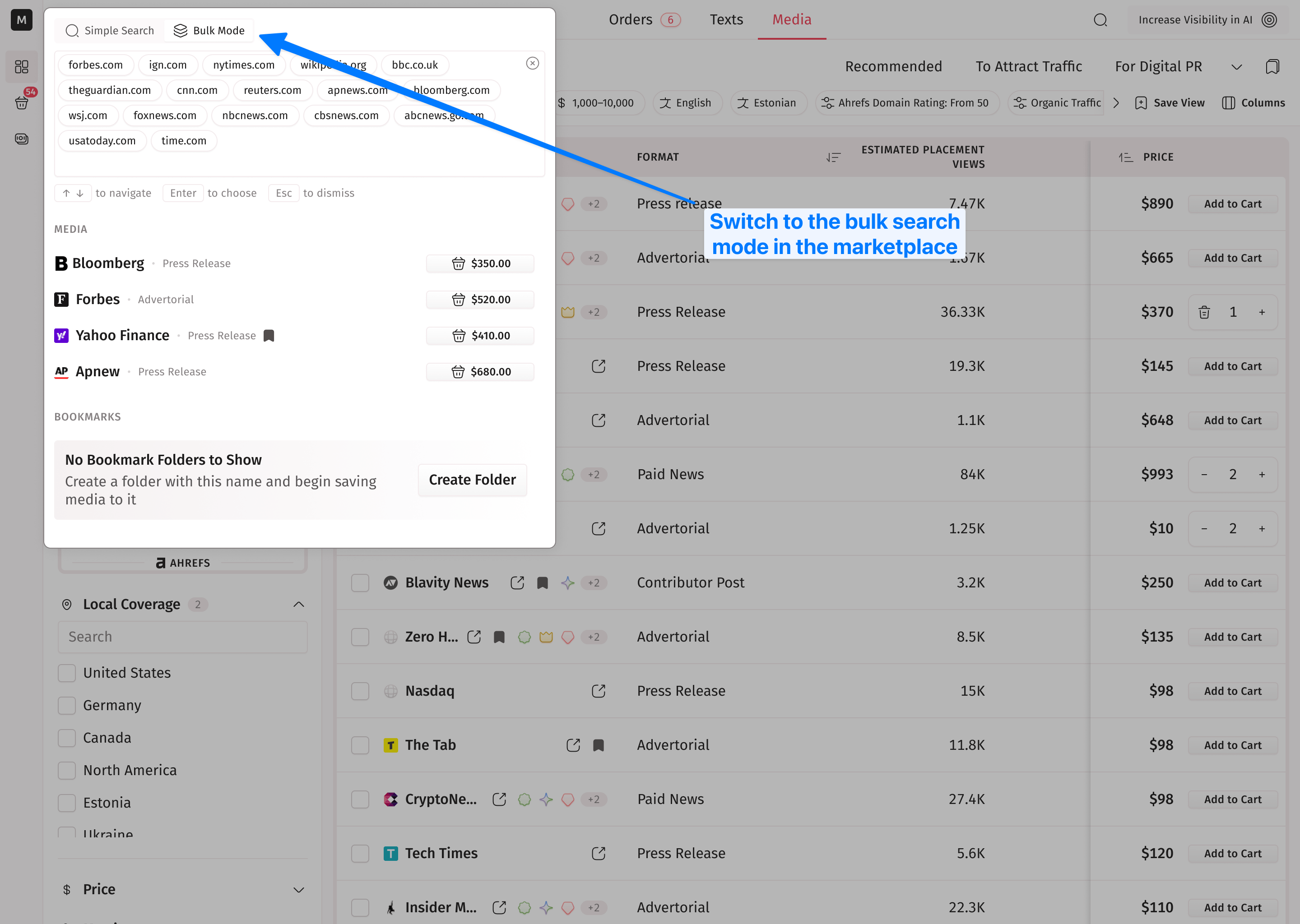
The system accepts any format—with or without "https://", separated by spaces or commas, or copied straight from a spreadsheet. Perfect for checking competitor media lists or verifying your outreach spreadsheet.
TIP: Use an SEO tool like Ahrefs, DataForSEO, or another option to find backlinks to your competitor’s website. Copy and paste those links into the marketplace search. This way, you can easily replicate your competitor’s strategy.
Bear in mind, the bulk site checker also has a character limit of 500,000 for pasted content. In most cases, this is enough to cover 5,000 URLs, but in rare instances, you may reach this limit.