Offers Listing
How to list or delist offers from the marketplace
How to List Offers in the Marketplace
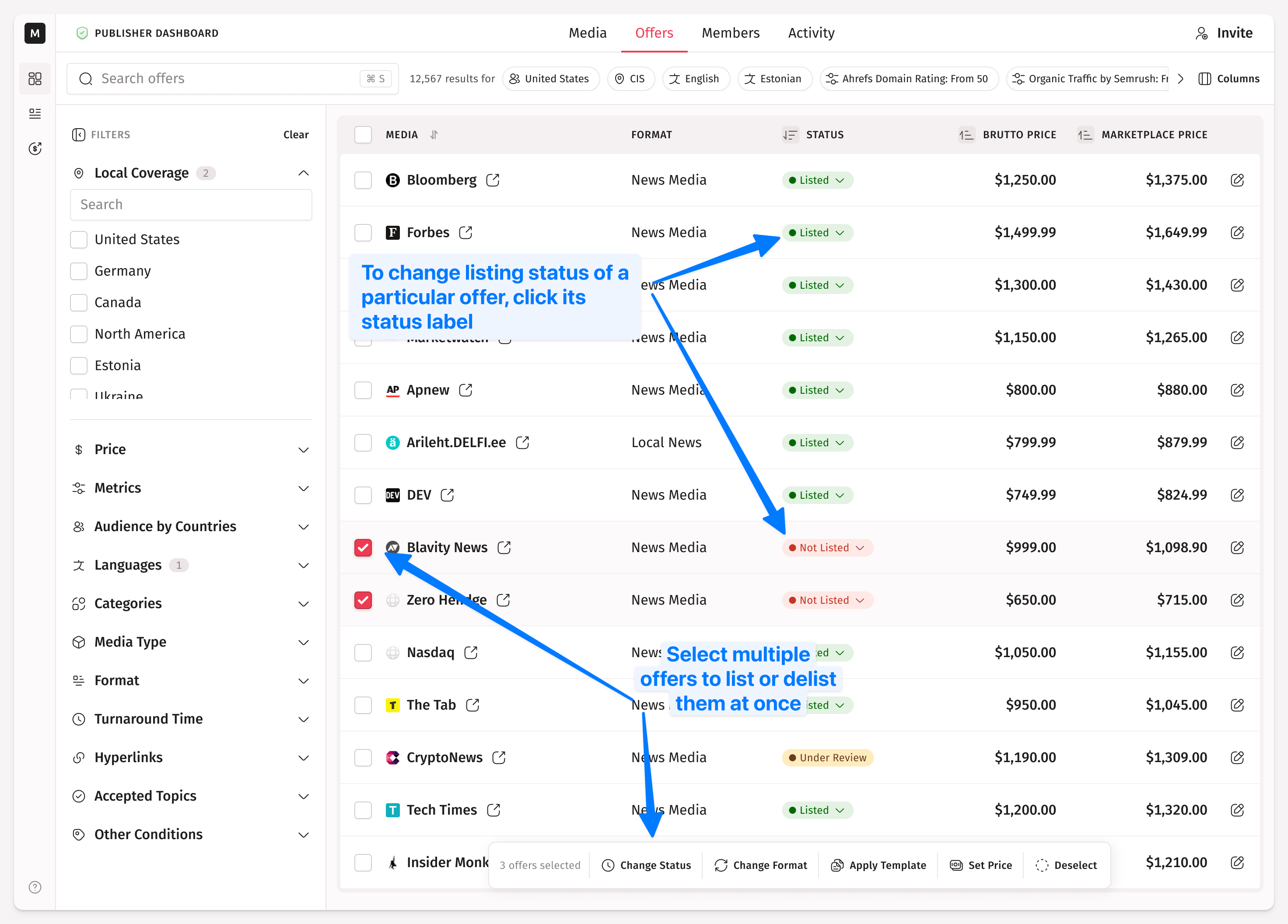
The offer won’t be visible to clients yet. To make it available, go to the Offers tab. From there click the status label to quickly change the offer’s listing status. Or select multiple offers and change the listing status for all of them at once using the popup menu at the bottom of the page.
If your verification is in progress, you won't be able to list any of your offers. You can still add or edit offers, but listing them will be unavailable until the verification is complete. More information about the verification process can be found here.
How to Delist Offers from the Marketplace
Offers delisting works in the same way.
What Happens with Orders for Delisted Offers
If you delist an offer with an active order, the order will stay and you still can fulfill it. Or you can cancel the order if you desire.