Organizations
Learn what is organization and what is linked to it
When you register on Medialister, you automatically join your newly created organization or one where you were invited to a project.
Who Can Change the Organization Settings
Only project admins and the organization owner can change the organization settings.
Setting Up Your Organization After Sign-Up
Right after you confirm your email, Medialister checks whether any colleagues who share your email domain already run an organization there.
If they do, you can ask to join one of those organizations instead of starting from scratch.
If nobody from your domain has one yet, you go straight to naming your own organization.
Asking to Join an Organization
If Medialister finds one or more organizations on your domain, you can pick one and send a join request, or skip the list and create your own organization instead.
Once you send a request:
It stays pending until an owner or admin of that organization approves or declines it.
You're notified the moment a decision is made, and an approval drops you straight into that organization.
While you wait, you can still choose Continue with New Organization to create your own. Only do this if you don't plan on sharing it with the colleagues you asked to join, since you'd end up in two separate organizations.
If your request is declined, you can create your own organization. Ask your colleagues to invite you directly if you think the decline was a mistake, since a declined request can't be reopened.
Approving or Declining a Join Request
If you're an owner or admin, a new join request opens a review prompt as soon as it comes in, wherever you are in Medialister. For each request you can:
Grant client dashboard access, publisher dashboard access (only shown once the organization has a publisher dashboard), or both.
Choose the role that comes with each dashboard.
Approve the request, which grants access immediately, or decline it. Declining asks for a second confirmation, since it can't be undone. If it turns out to be a mistake, the person has to send a new request.
You need to grant access to at least one dashboard before you can approve a request.
How to Create an Organization
If nobody from your email domain has an organization yet, or you skip joining one, name your new organization and continue. You're automatically assigned as the owner.
New organizations aren't visible to colleagues as a join match until Medialister verifies them. If a coworker signs up before that happens, they'll go through the same "create your own organization" step rather than seeing yours in the list.
How to Switch Between Organizations
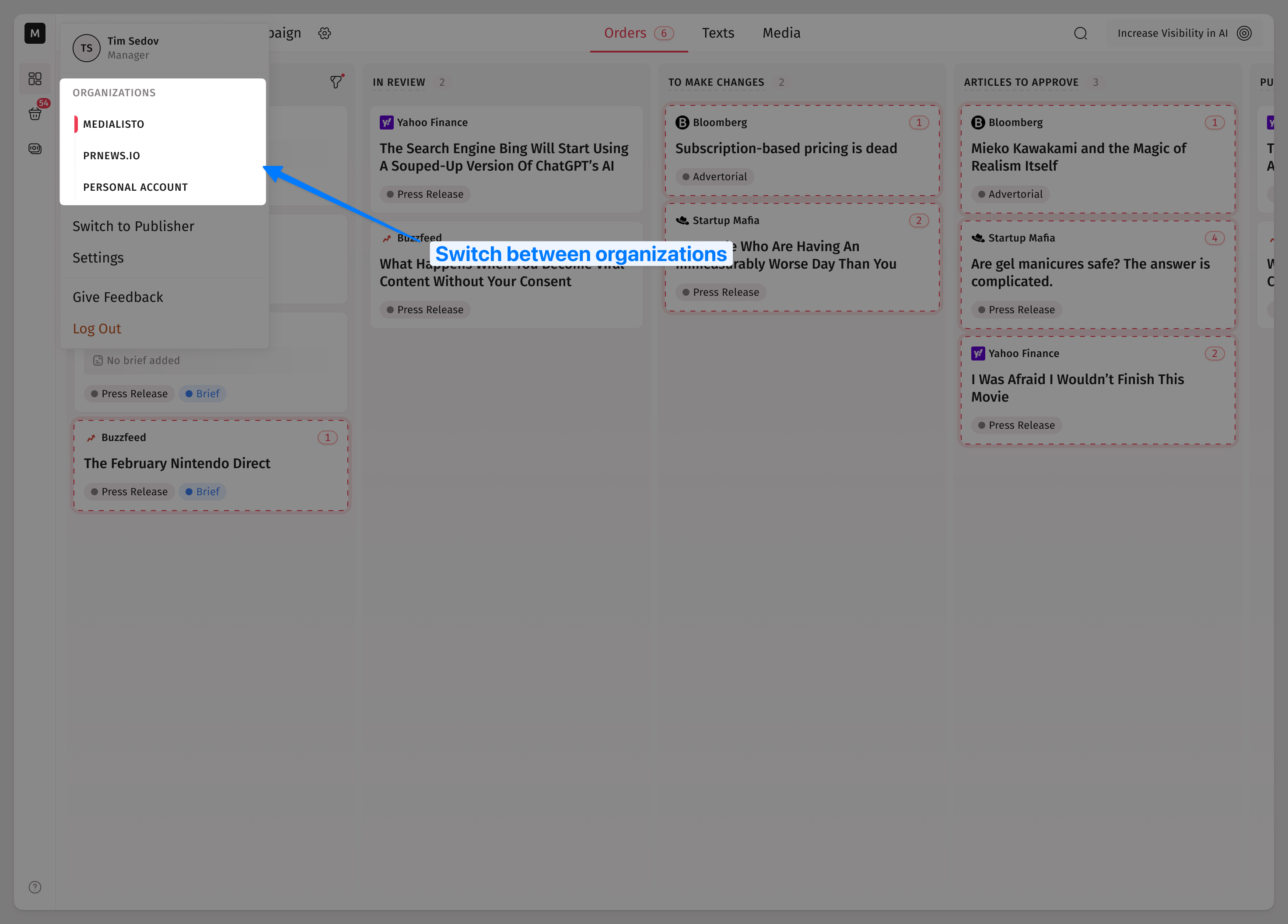
Click the profile icon in the header to view the available organizations you can switch between.
Where to Find Organization Billing Information
Go to Settings → Organization Settings → Billing to get access to the billing information and all related to this organization's transactions.
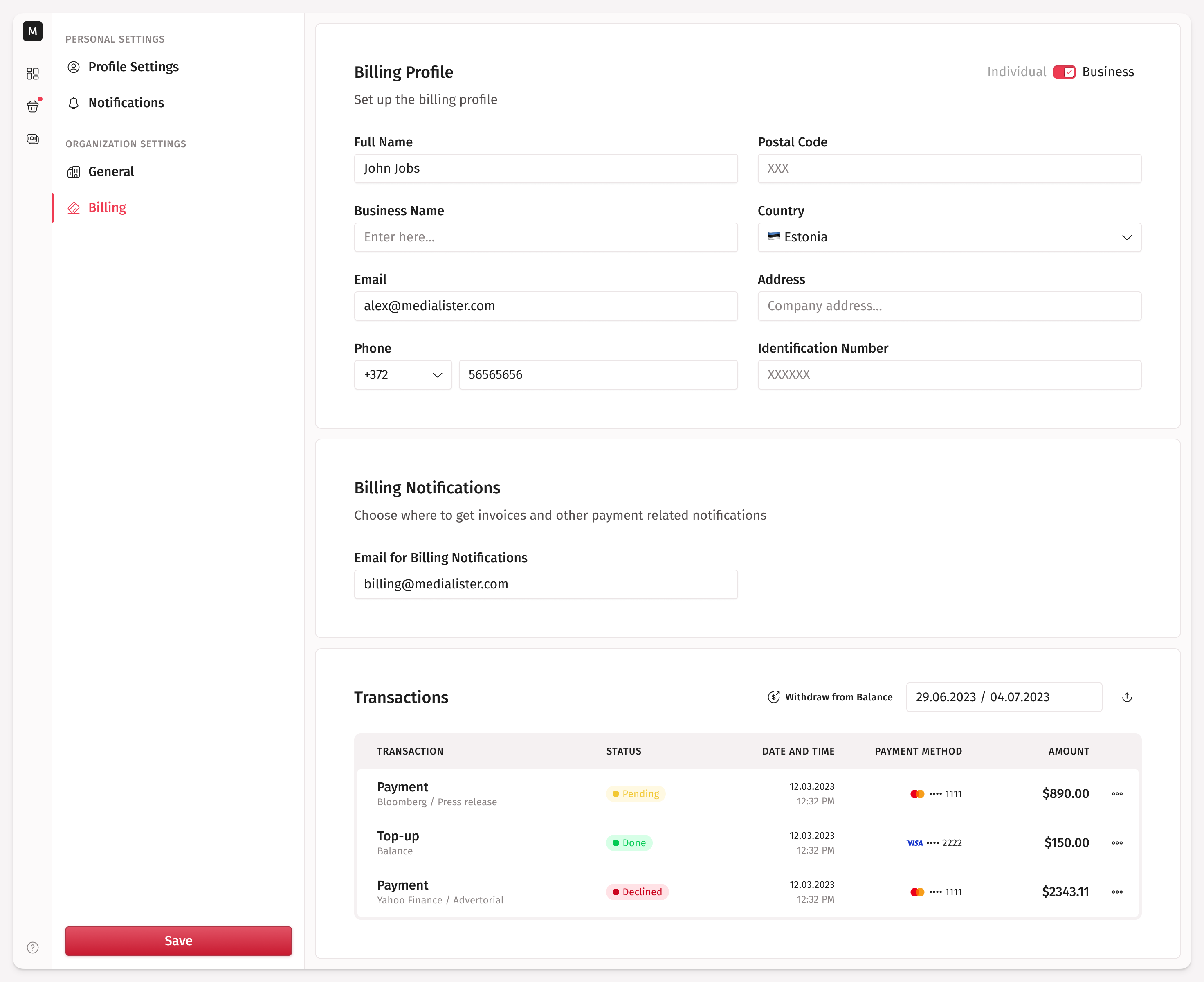
This page is admin-only. Managers, editors, and viewers who open the link are redirected back to their dashboard, because billing and invoices span every project in the organization rather than just the ones they're invited to. Check Member Roles for the complete permissions table.
How to Change the Organization Name
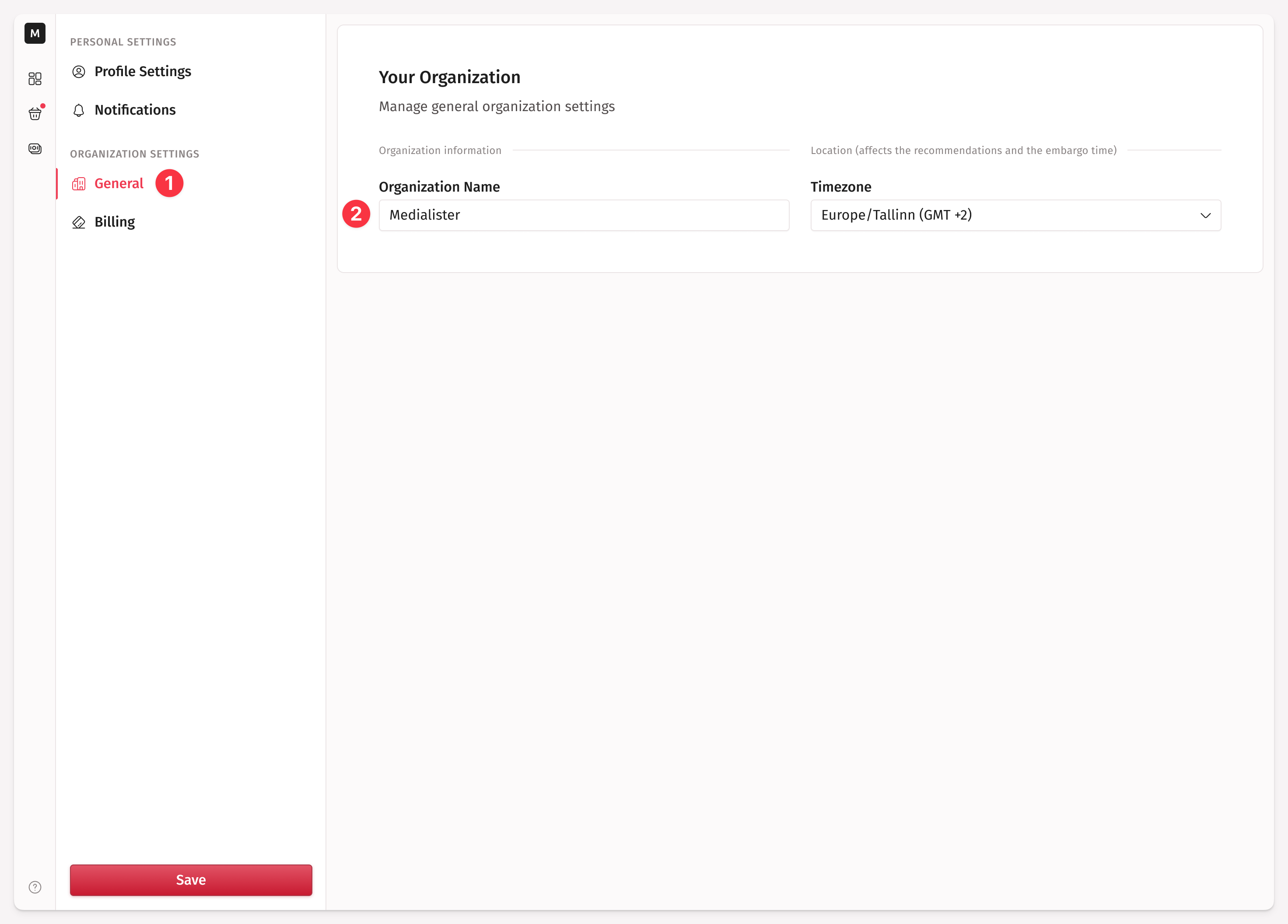
Go to Settings → Organization Settings → General and change the organization name.