Extras for Clients
Learn how to add extras and send them to clients to upsell your services
This article covers how to set up extras for your offers, upsell them in the order chat, and see why they're worth offering.
Adding an extra to your offers
Additional services such as non-thematic content, article writing, or other custom add-ons are managed through the Extras feature.
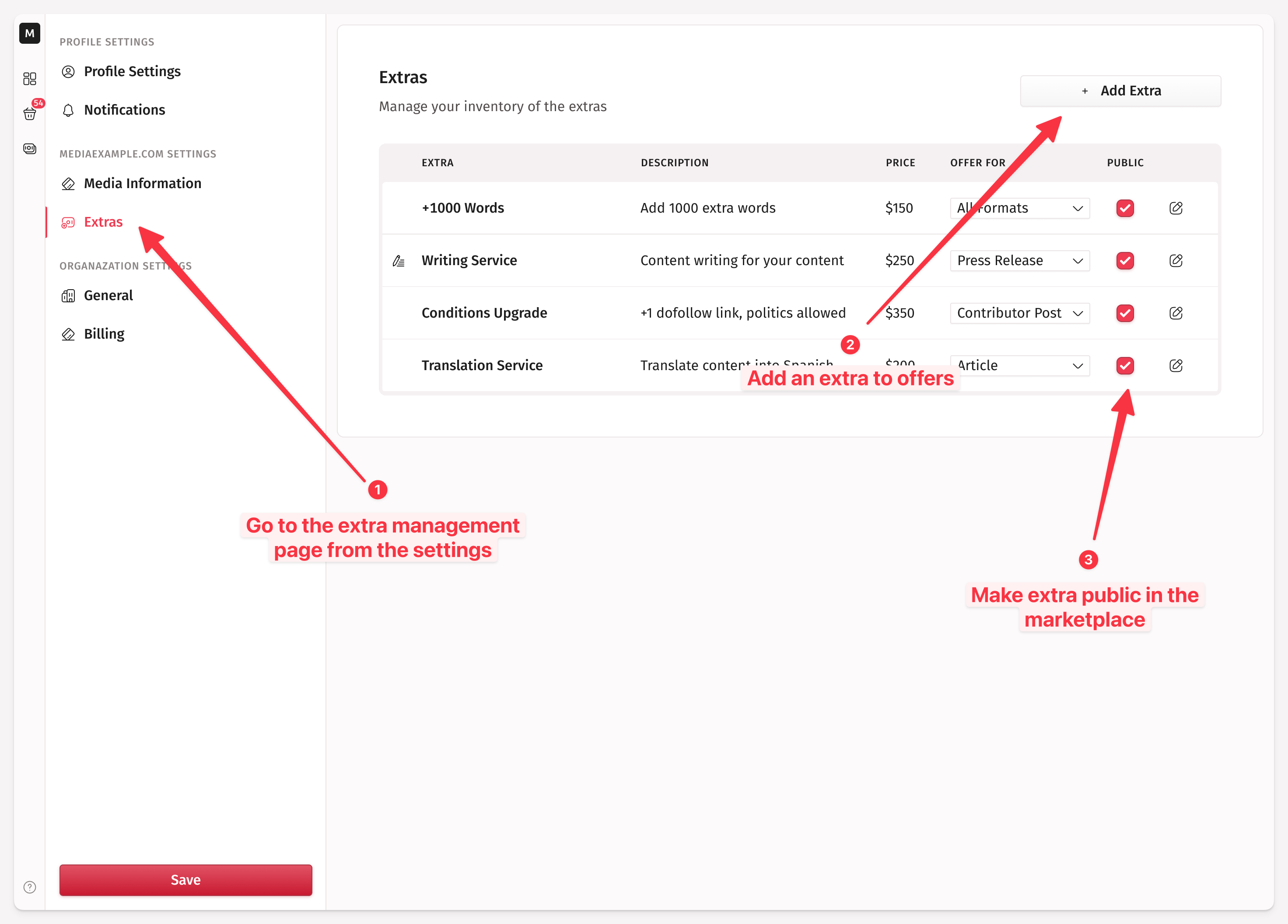
Navigate to
Settings: https://app.medialister.com/profile/settingsLocate the
Extrassection.Create a new extra. Specify the name of the additional service (for example, non-thematic content, a publisher-written article, or a custom topic), the service description, and the extra fee you charge for this service.
Make the newly created extra public so clients can see and book it in the marketplace.
You can apply this extra to all the formats you offer or limit it to a specific format, for example, only the article format.
Only 10 extras can be public at once.
Sending an extra in the order chat
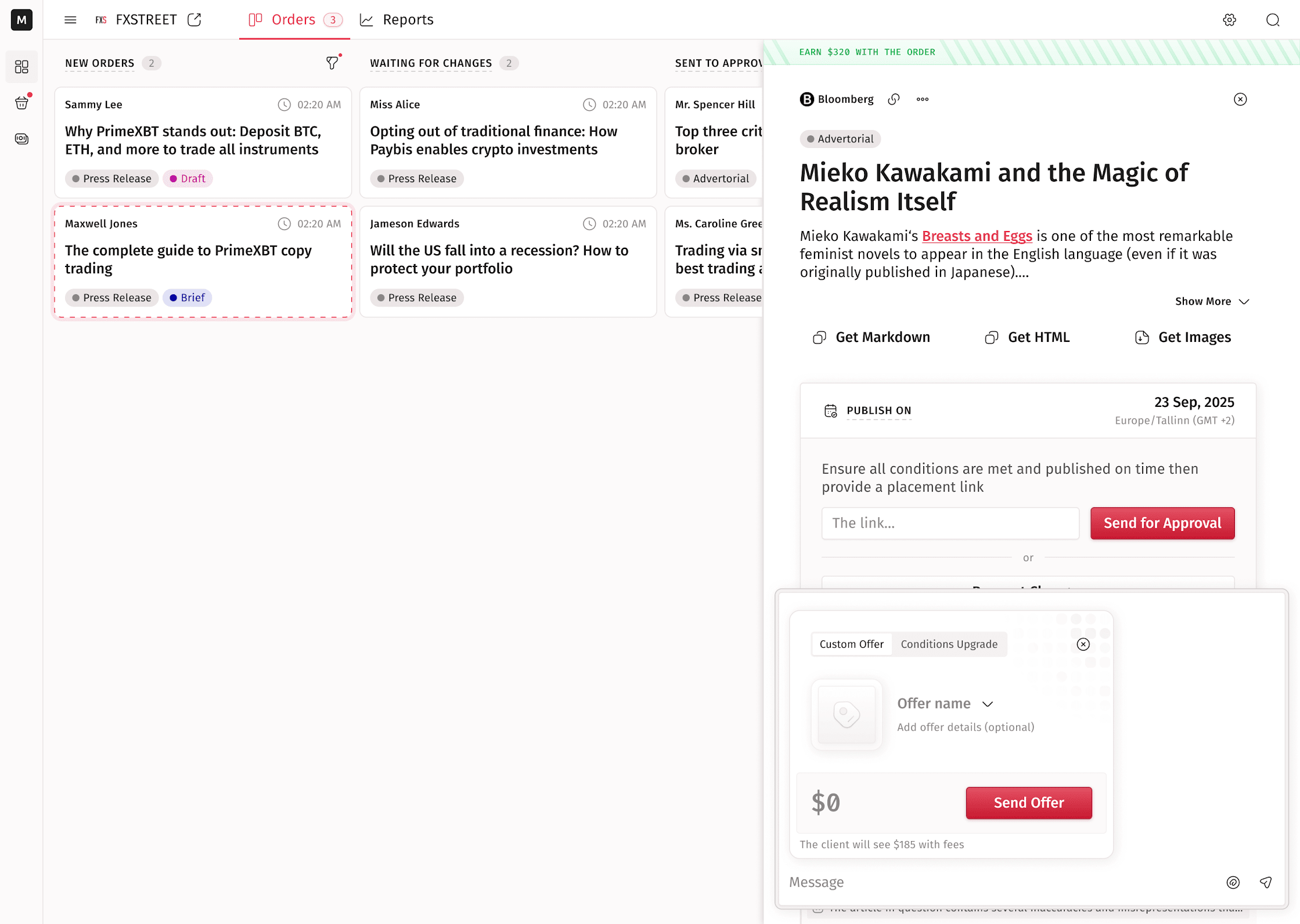
Once a client submits an order, you can upsell additional services directly in the chat. Watch a video walkthrough of the steps below.
Go to an order in your dashboard.
Open the chat inside the order card.
Click the
+at the bottom of the chat.An extra preview appears. Fill in the extra name (for example, "Social Media Repost"), an optional description, and the price you want to earn.
Click
Send Offer.The client receives your extra and can accept it or respond with feedback.
Once accepted, you fulfill the extra as agreed.
Why offer extras
Many publishers overlook additional services, but small upsells can turn a single order into a more valuable collaboration for both you and your client.
Promotional add-ons help your client reach more readers, improve the visibility of their content, and get better performance from their investment, while you earn extra income with minimal effort. Here are some examples of what you can offer:
Social media sharing: share the article on your own channels to add exposure beyond the site.
Newsletter inclusion: feature the article in your next email to reach your subscribers directly.
Homepage or featured placement: highlight the content in a banner or featured block to drive more traffic.
Follow-up content or reposts: create additional coverage or repost the article after some time to keep the momentum going.
You can offer these extras directly from the order chat at any point before the article goes live.
Offering them proactively shows initiative, helps you stand out as a professional, and often leads to repeat business or larger future orders.
Processing fees apply
You only need to set the price you want to earn; Medialister adds the service fees on top. The client sees the final price, so you don't need to calculate anything manually.