Offers
How to add and manage offers
Offers represent the types of placements you provide (e.g., Interview, Article, Paid News).
How to Add an Offer
Open the
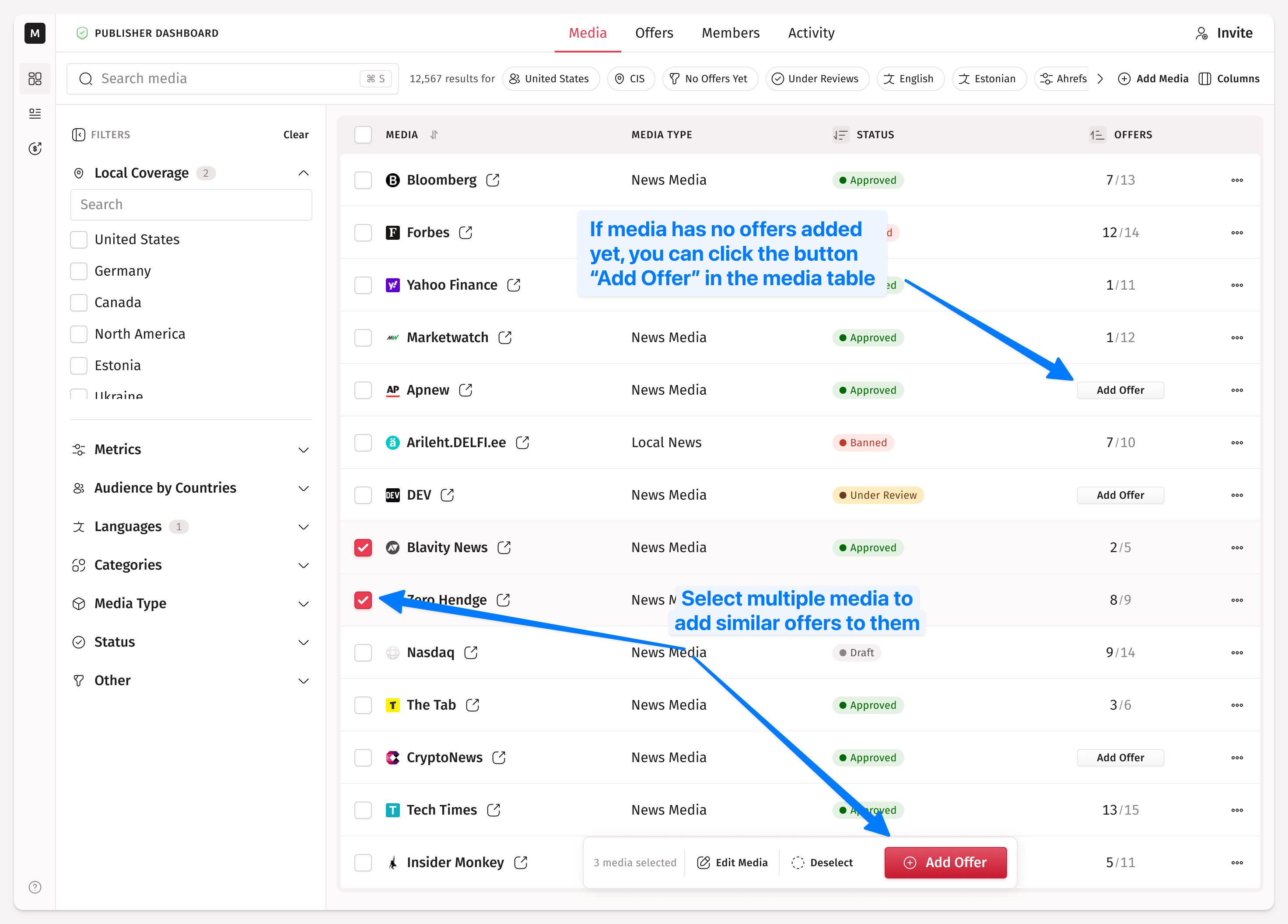
Mediatab in the publisher dashboard by clicking the grid icon in the top right cornerSelect the media you want to add an offer to. If you have an extensive media list, you can use the filter
No Offers yetin theOtherfilter group.Click
Add Offerin the popup that appears at the bottom, or if the media has no offer added yet, clickAdd Offerdirectly in the table.
For each offer:
Choose a format (for example, Press Release or Article).
Set the net price you want to earn. Medialister will apply its fees on top.
Define conditions (e.g., number of links, whether images are allowed, etc.).
You can add multiple offers per media.
If your verification is in progress, you won't be able to list any of your offers. You can still add or edit them, but listing will be unavailable until the verification is complete. More information about the verification process can be found here.
How to Edit an Offer
Go to the Offers tab and click the editing button which is displayed per row in the offers table.
To find offers that have extras, open the Extras filter on the same tab and choose With Extras or Without Extras. Any shows every offer.
What Happens with Order After Offer Editing
If an order is on the client side (they booked it but haven’t sent it to the publisher for review yet, or they were asked to make changes to the content), the client will be prompted to accept the new offer conditions and the new price, if it has also changed.
How to Handle Offer Prices in Currencies Other Than USD
All prices are fixed in USD, but payouts will be processed in your bank account's currency. Stripe will automatically convert the amount at the current exchange rate.