Orders Processing
How to process incoming orders
Where to Find New Orders
When you receive an order, it will appear in the NEW ORDERS section.
If you manage more than one website, switch between media to see which one has an order waiting for your action.
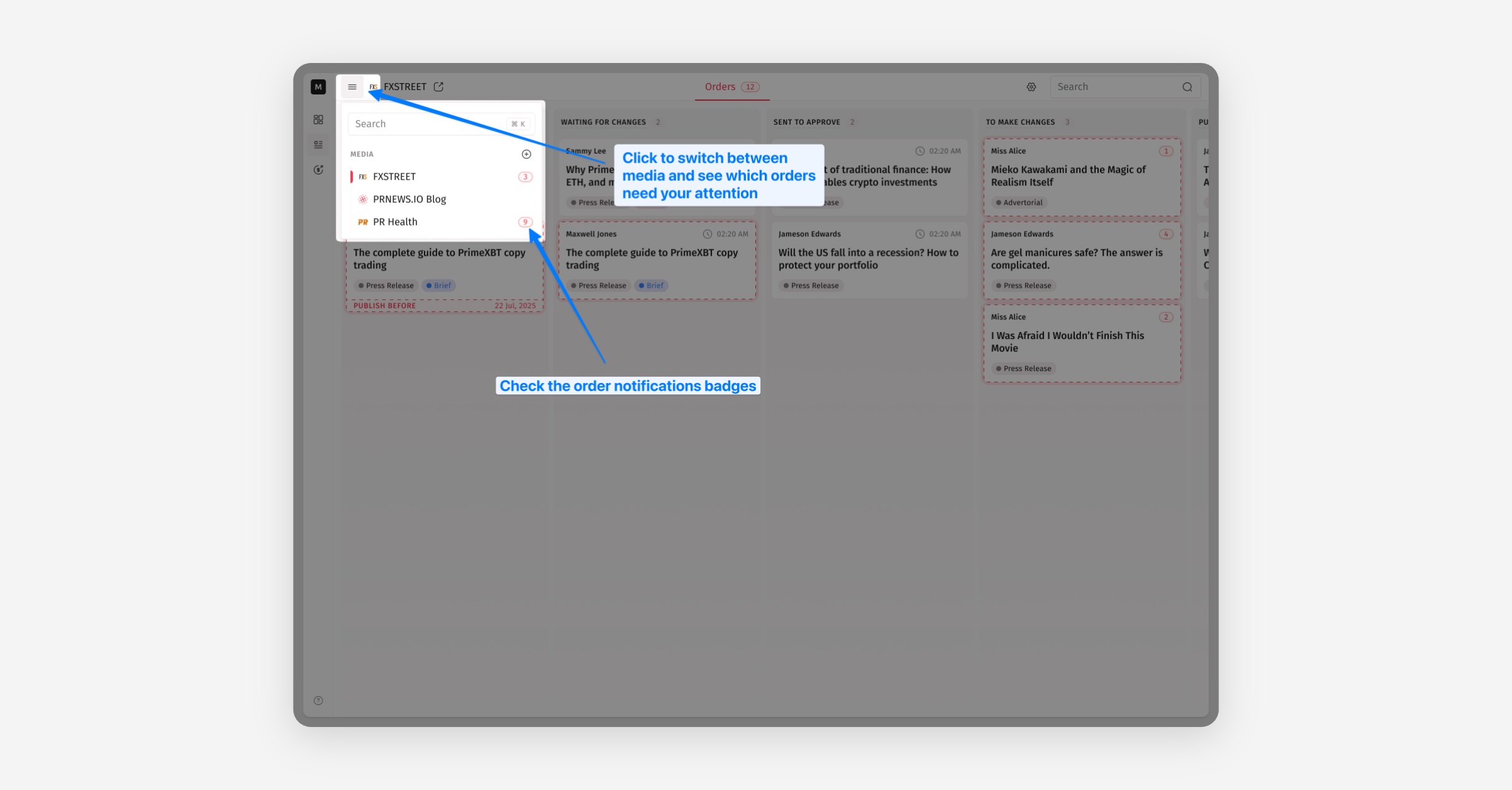
Review the details carefully. Your earnings for this order are displayed at the top of the order details, highlighted on the green line.
How to Get Content from Orders
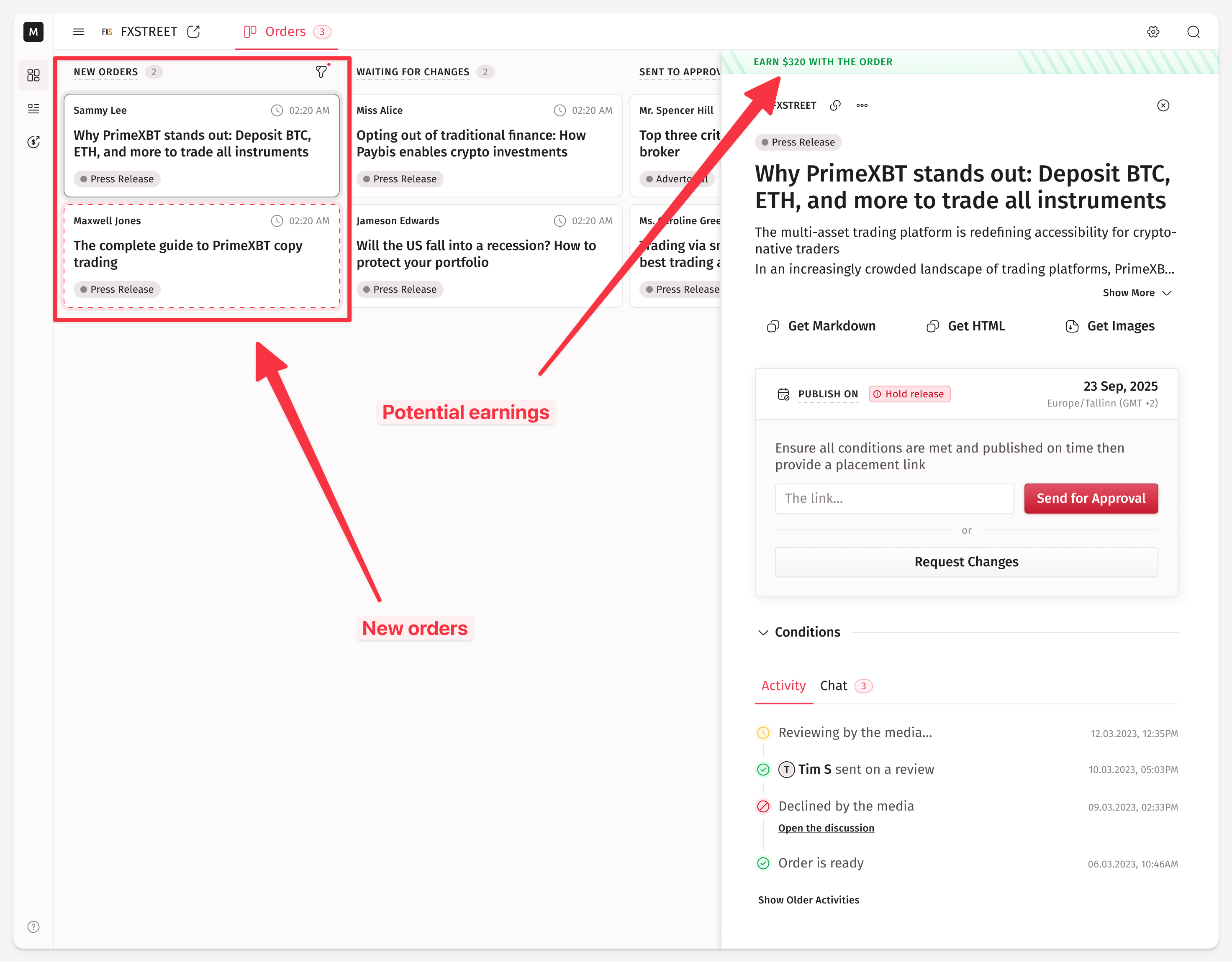
If the content looks good and doesn't need any changes, you can copy it directly by selecting the text, or copy it in Markdown or HTML format. You can also download all the attached images in one click.
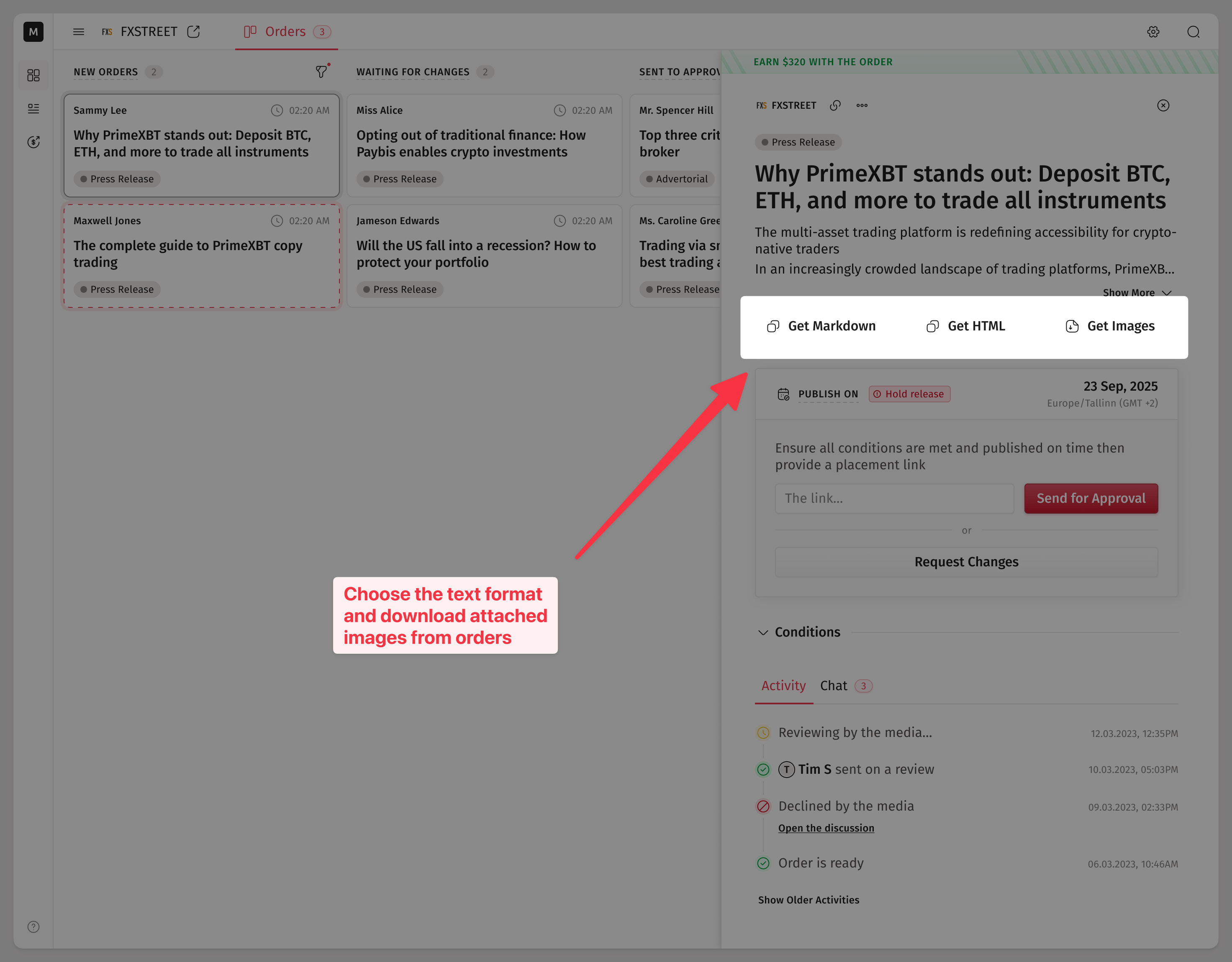
NB: When you copy content as HTML, all images will be encoded and copied in base64 format. Make sure your CMS supports this format. Otherwise, download images separately.
What the Placement Approval Is
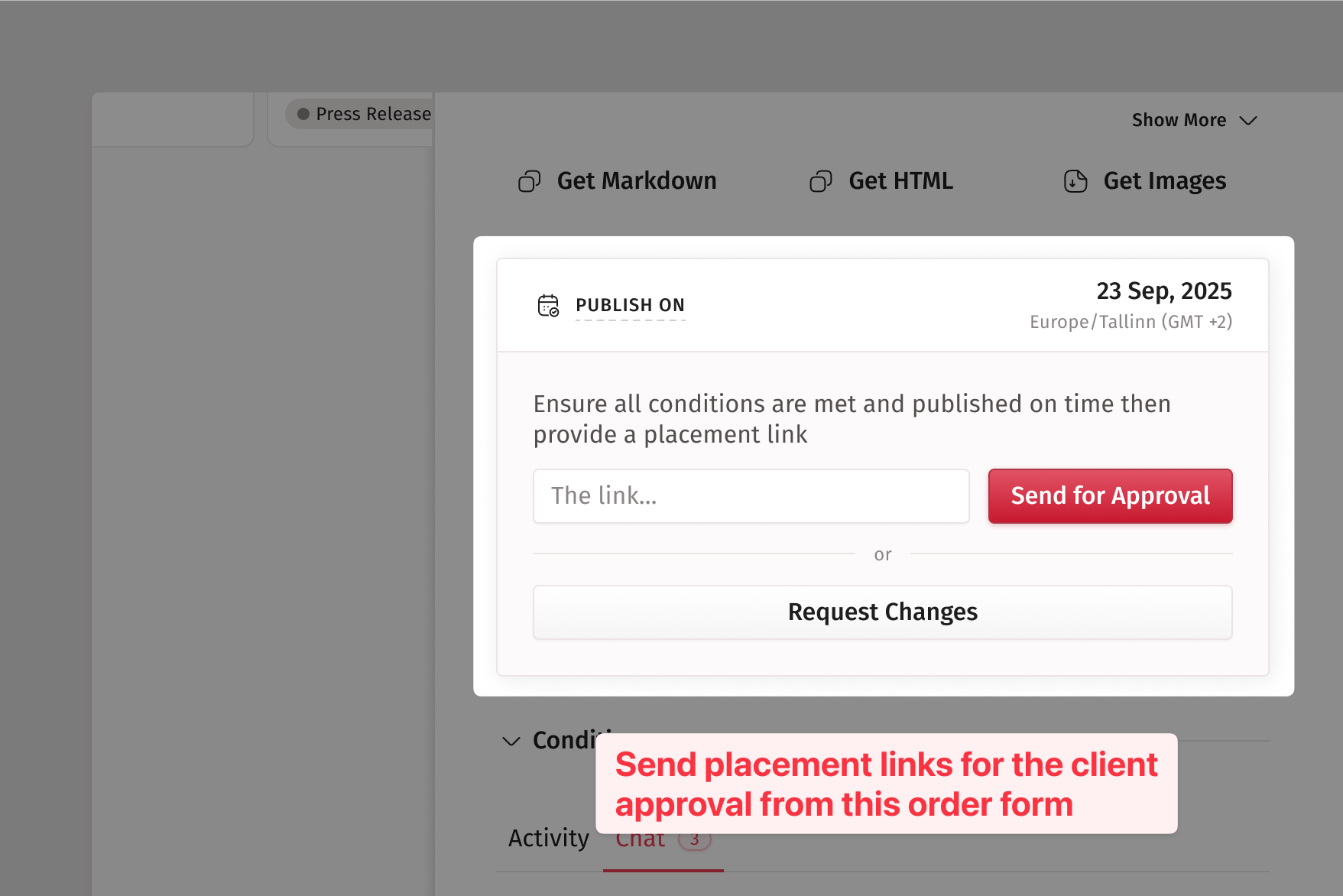
Every placement must be approved by the client. If the client neither approves nor rejects a placement, it will be automatically approved 24 hours after the placement link is sent.
Sometimes, clients may reject a published article if it does not meet their expectations. If this happens, we encourage you to discuss the issue through the chat.
After you publish the article on your website, insert the live URL of the article in the provided field and click Send for Approval.
How to Handle Client's Requests for Changes
If the client wants edits, the order status will change to TO MAKE CHANGES.
Make the necessary updates, send the article for approval again, and once it’s approved, the payment will appear in your balance and become available for payouts.
How to Request Content Changes from Clients
If the provided content doesn’t fully match your website’s requirements (for example, title adjustments or word count), click Request Changes.
Add a short comment explaining what needs to be changed
The order will switch to
WAITING FOR CHANGESOnce the client updates the content, you’ll be notified, and the order will return to
NEW ORDERS. From here, you can then proceed as usual.
How to Handle Cancelation Requests
If an order is already in progress, we give clients the option to request a cancellation from you. In that case, you’ll receive an email notification, and you’ll see a prompt in the order to review the cancellation request. You can either accept it or decline it and continue with the order.
We suggest discussing a cancellation decline with the client in chat before escalating the issue to Medialister’s support team.
How to Withdraw Your Earnings
Ready to withdraw your earnings? Follow this quick video guide below to complete the process in just a few steps.
How Many Orders to Expect
While we'd love to provide an exact number, the volume of orders can vary significantly depending on factors like your site's niche, audience, and pricing. However, our efforts focus on attracting clients to the platform who align with our publisher's profile.