Saved Marketplace Views and Bookmarks
See how to manage to different marketplace views and bookmarks
The marketplace has many sorting options and filters. It can be exhausting to set them in place every time. To skip all these steps in the future, you can use saved views.
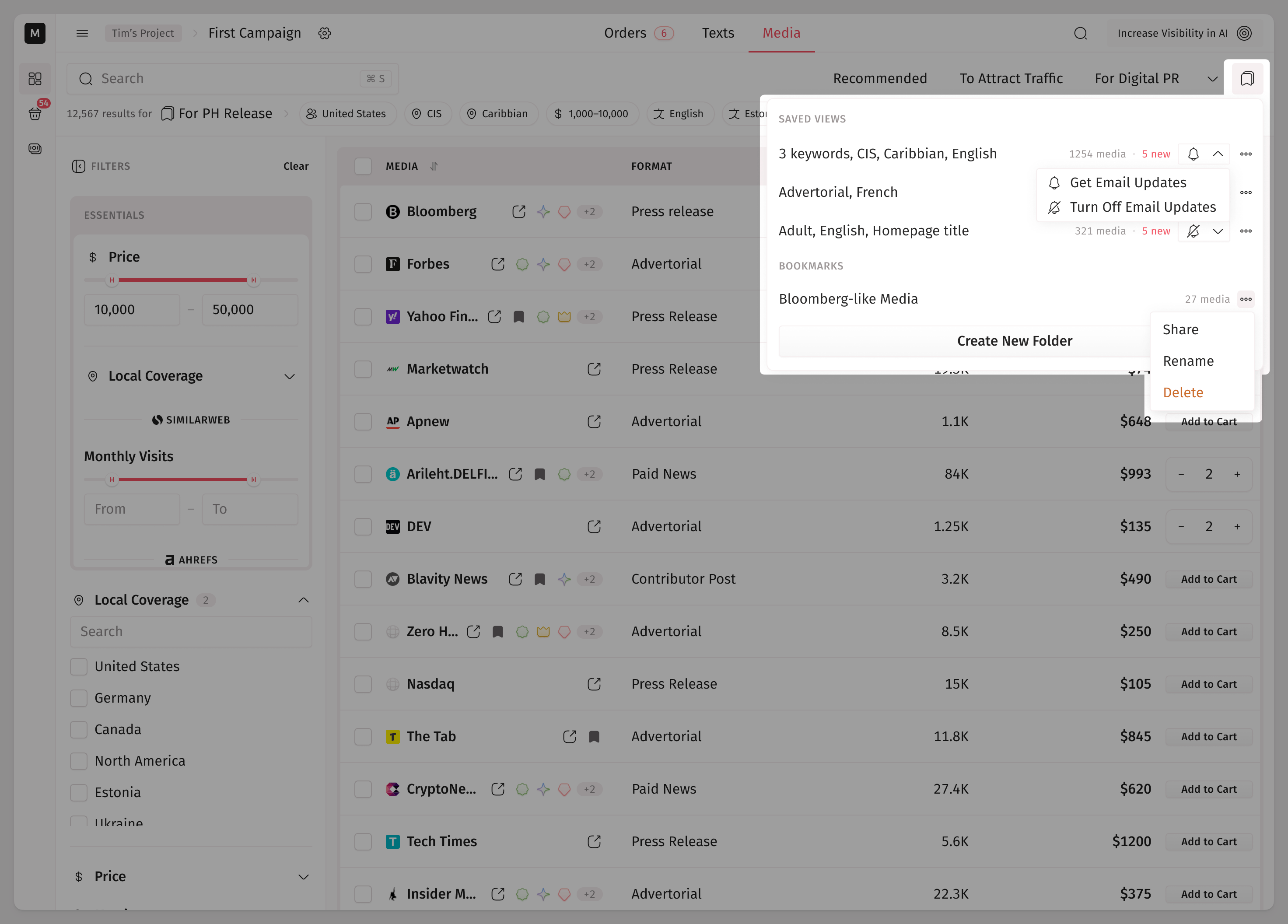
How to Save a Marketplace View
To save your current marketplace view, click the Save View button in the marketplace header. Now, you can be sure that all your current sorting options and filters are saved.
You can save as many different views as you want.
All the saved views can be found along with the bookmarks folders. There, you can also see how many media fall under your saved view and how many of them are added in the last 24 hours.
By clicking the bell, you can subscribe/unsubscribe from email updates about new media which fall under a saved view.
How to Delete a Saved View
In the list of all views, select a saved view, click the three-dot icon, and select to delete it.
How to See What Offers Are in Bookmarks Already
In the marketplace table and the search popup, you can see a small bookmark icon that indicates whether an offer is already bookmarked in one of the folders.
On the offer page, you can see the number of folders this offer is bookmarked in in the header.
How to Share a Bookmark Folder
Copy the link to any bookmark folder and share it with anyone registered on Medialister, even someone from another organization. Opening the link shows the folder's media in the marketplace filters, the same way it looks for the person who created it. The folder isn't saved to the recipient's own bookmarks, it just opens.