Publisher Members
How to invite publisher members into the publisher dashboard and what are the roles permissions
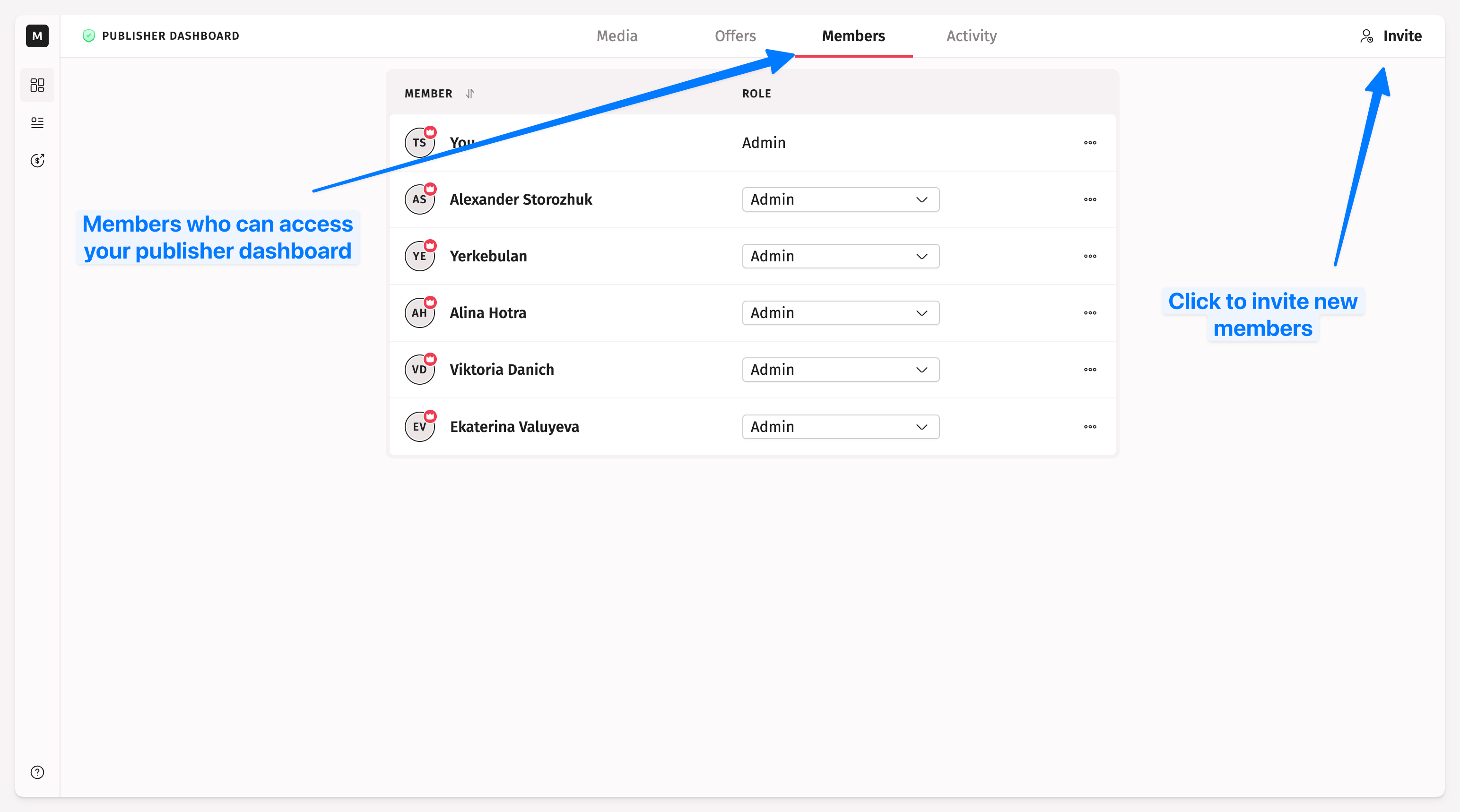
How to Invite Publisher Members
Click Invite in the header of the publisher dashboard to invite a new members. Invited members will be able to manage media, formats, and process orders.
How to See Who Have Access to the Publisher Dashboard
Open your publisher dashboard and go to the tab Members to see everyone who has access to media, offers, and orders.
How to Remove Members from the Publisher Dashboard
Click the three-dot button and choose Remove to revoke access to the publisher dashboard for a particular member.
Understanding Publisher Roles and Permissions
Medialister's publisher dashboard uses a straightforward role system to help media teams manage their listings, orders, and earnings effectively. This guide explains how publisher roles work and what each role can do.
How Publisher Roles Work
In the publisher dashboard, there are two roles designed to balance operational flexibility with administrative control:
Publisher Admin
Full control over media, offers, verification, and payoutsPublisher Manager
Day-to-day operations without access to financial settings
Unlike the client dashboard, publisher roles are organization-wide—you have the same role across all media within your publisher organization.
NB: The client and publisher dashboards are completely separate workspaces. When you invite someone as a publisher member, they will not have access to the client dashboard unless you invite them there as well.
Complete Permissions Table
KYB and Finances Permission | Publisher Admin | Manager Admin |
|---|---|---|
Complete KYB setup (Stripe Connect access) | ✓ | |
Continue KYB setup and provide additional information | ✓ | |
Access billing and transactions pages | ✓ | |
Edit billing settings | ✓ | |
Create payouts | ✓ | ✓ |
Order Permission | Publisher Admin | Manager Admin |
|---|---|---|
Edit order content (when writing extra is booked) | ✓ | ✓ |
Cancel orders | ✓ | ✓ |
Request changes to content | ✓ | ✓ |
Copy order content | ✓ | ✓ |
Send placement link to orders | ✓ | ✓ |
Send messages in chat | ✓ | ✓ |
Create and send custom extras | ✓ | ✓ |
Media Management Permission | Publisher Admin | Manager Admin |
|---|---|---|
Add media (including batch uploads) | ✓ | ✓ |
Archive media | ✓ | |
Edit media settings | ✓ | ✓ |
Offer Management Permission | Publisher Admin | Manager Admin |
|---|---|---|
List/Delist offers in marketplace | ✓ | ✓ |
Archive offers | ✓ | |
Create new offers | ✓ | ✓ |
Edit offer settings | ✓ | ✓ |
Extras Management Permission | Publisher Admin | Manager Admin |
|---|---|---|
Add and edit extras | ✓ | ✓ |
Make extras public | ✓ | ✓ |
Delete extras | ✓ | ✓ |
Team Management Permission | Publisher Admin | Manager Admin |
|---|---|---|
Invite/remove/downgrade/upgrade admins | ✓ | |
Upgrade members to admin role | ✓ | |
Invite/remove/downgrade managers | ✓ | ✓ |