Extras from Publishers
How to book and accept extras
What Extras Are
Extras are add-ons for orders—things like writing services, more images/words, or upgraded conditions (e.g., extra links, homepage announce). You can add them to the cart on the offer page, attach them per placement in the cart, or accept publisher-proposed extras right inside the order chat after booking. Payment is still “pay on publish”: the total is reserved on your balance and charged only after the order is fulfilled.
Types of Extra
There are different kinds of extras you may encounter:
Public extras
Add-ons exposed by the publisher to all clients. You can choose them on the offer page or in the cart.Custom extras
Sent by the publisher via the order chat after you’ve booked. You can accept them in one click; if accepted, your reserved amount on the balance updates automatically.Writing extras
Publishers can label extras as writing services. In these cases, you can send an order to a publisher, who will then be able to write or edit content for that order. To manage content approvals, use the chat.Extended guarantee
You can purchase the extended guarantee for each placement by selecting the extra called "Extended Guarantee." This extends the Medialister guarantee to one year after the content is published. Mor information on Medialister's guarantee can be found here.
Where to Purchase Extras Before Booking
Extras on the Offer Page
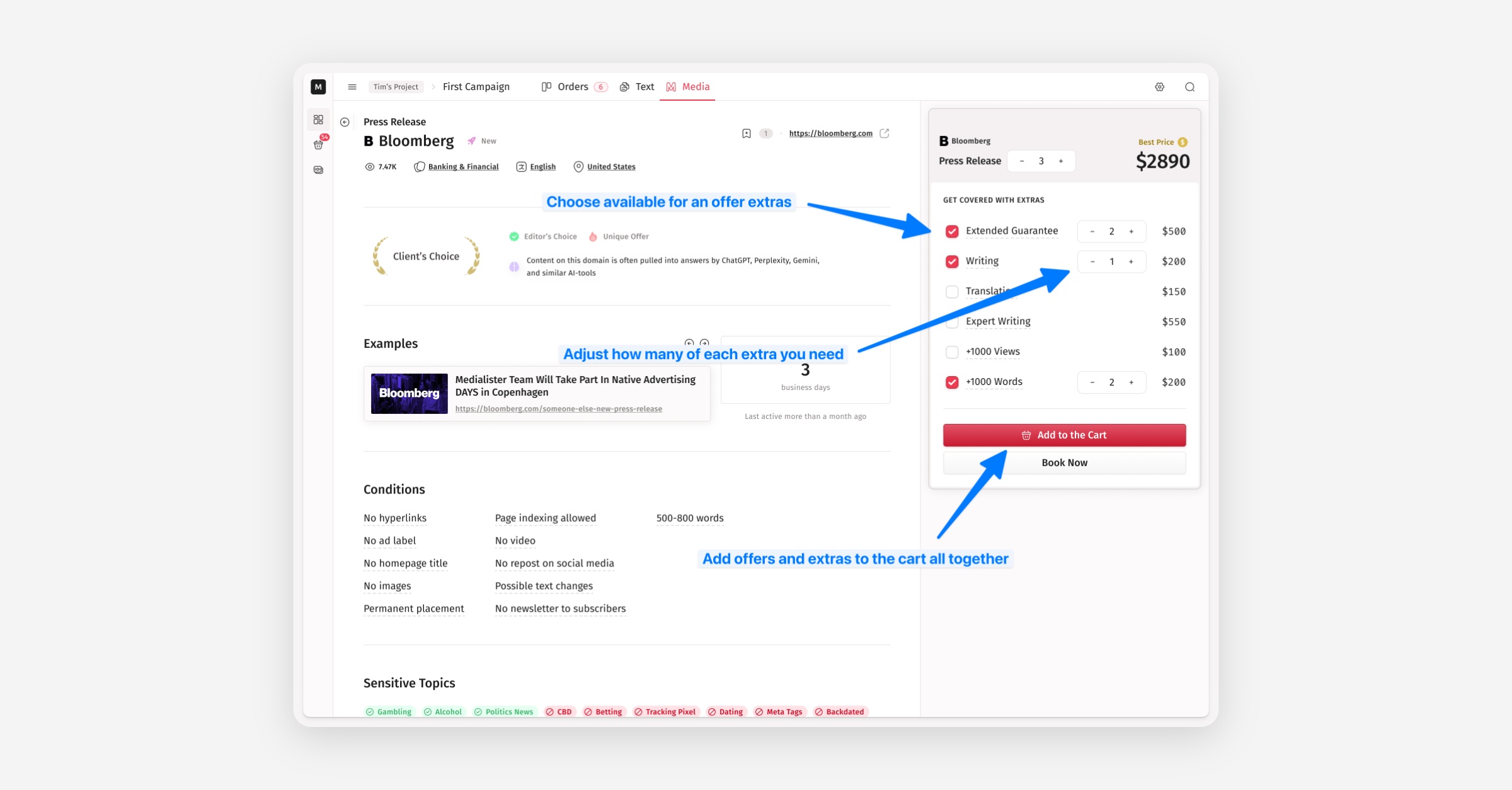
Public extras are available right on the offer page. Pick what you need, add to cart, and the cart reflects the new per-placement total. Here is how to add it to the cart:
Open an offer in the marketplace.
On the right, in the extras section, select the extras you want.
Adjust the quantity of each extra you need
Click
Add to CartorBook Now—your selection is carried into the cart along with placements.
Extras in the Cart
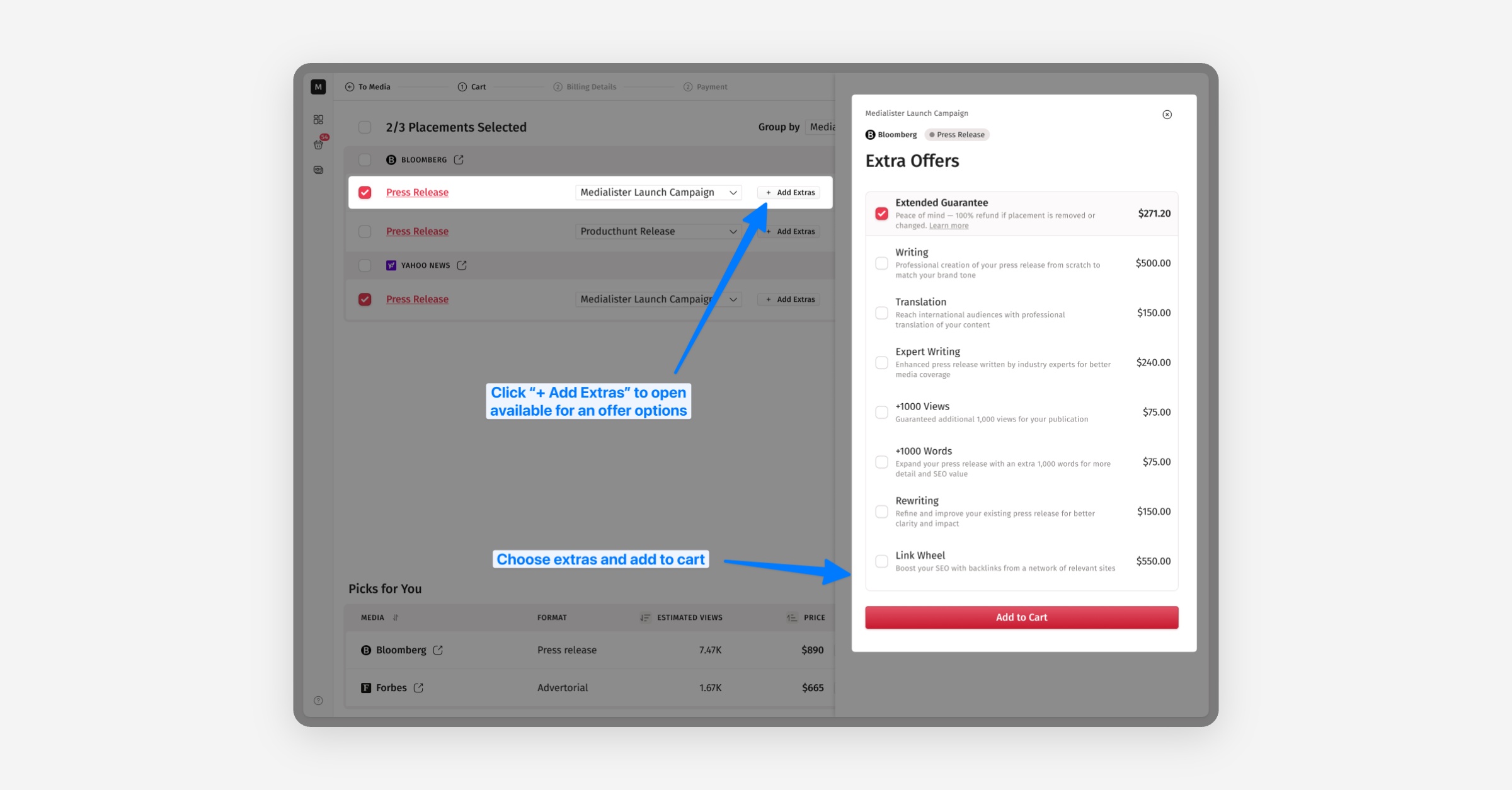
Adjust extras for each placement before you proceed to booking. Your balance will reserve the combined amount (offer + extras). How to select extras in the cart:
Open the cart.
For each placement, expand extras via clicking
Add Extras, toggle what you need, and clickAdd to Cart.
Where to Purchase Extras After Booking
Extras in the Order
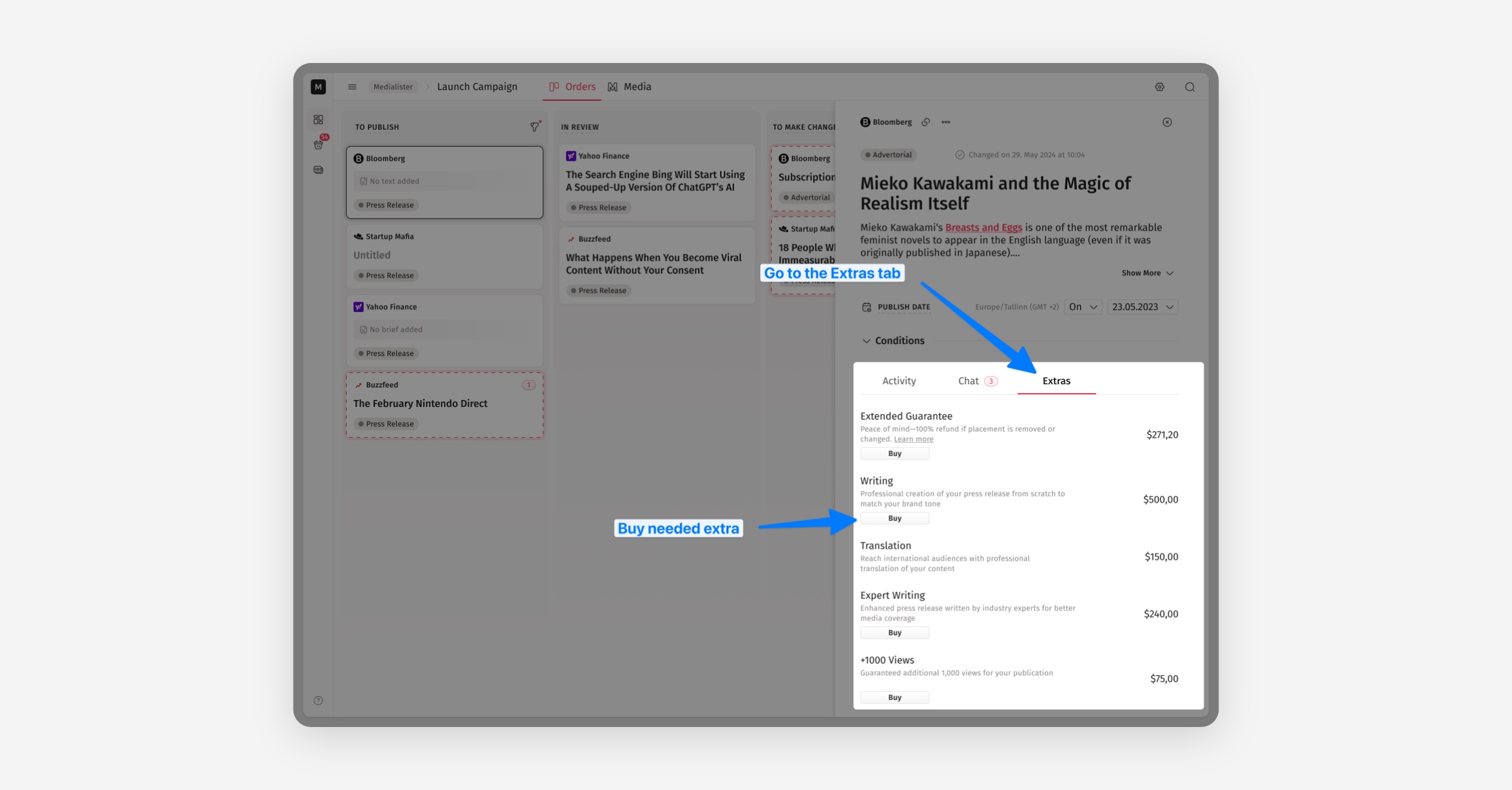
In addition to the Activity and Chat tabs, there is another tab called Extras, where you can book additional extras for an order. How to get extras after the booking process:
Open an order and go to the
Extrastab.Click
Buyfor every extra you need for a chosen order. If balance is insufficient, you’ll be prompted to top up and the reservation completes.
Extras Inside the Chat
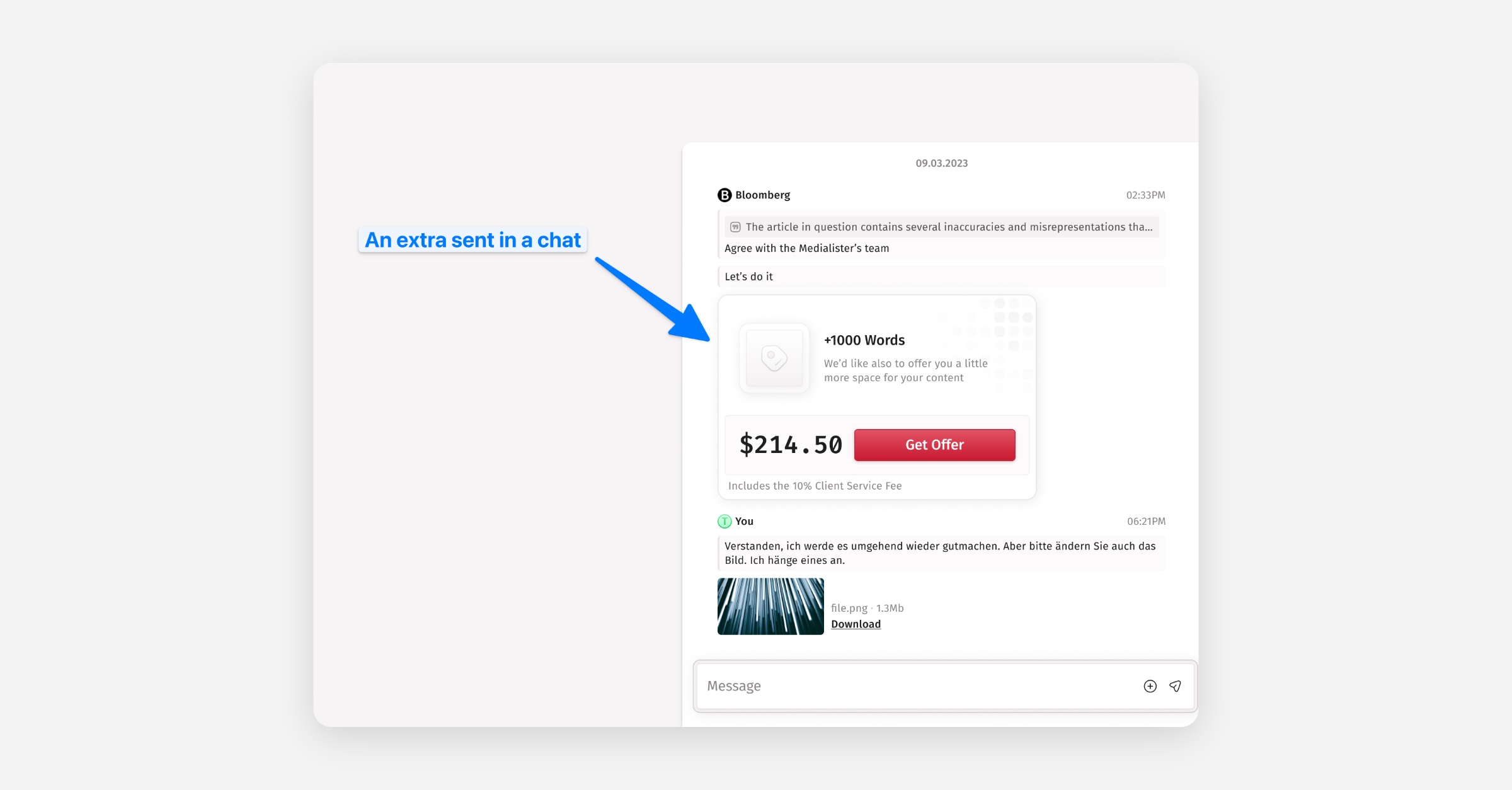
Publishers can propose custom extras (e.g., writing, extra words) right in the chat. You’ll see a clear banner and buttons to accept; accepting updates the reserved funds on the balance automatically (and requests a top-up if needed). If you've got a custom extra in an order chat, here is what you should do:
Open such order and go to the
Chattab.Review the extra card (it shows what changes and the price impact).
Click
Acceptto add it (held amount on your balance updates automatically). If balance is insufficient, you’ll be prompted to top up and the reservation completes.
How Payment and Timing Work for Extra
We reserve the amount on your balance at booking (offer + extras), then charge only after the placement is published and you approve the link (auto-approve applies after the grace window). If the order is canceled/refunded, the reservation is released.
Best Practices
Choose extras with your goal in mind
Аor SEO, prioritize extras that add dofollow links or permanence; for traffic/awareness, consider homepage announces or social reposts where available.Prefer predefined extras before booking
To avoid back-and-forth and publish faster. Use custom extras when your request is unique.