↵Open
Medialister changelog
November, 2026. 1st Batch.
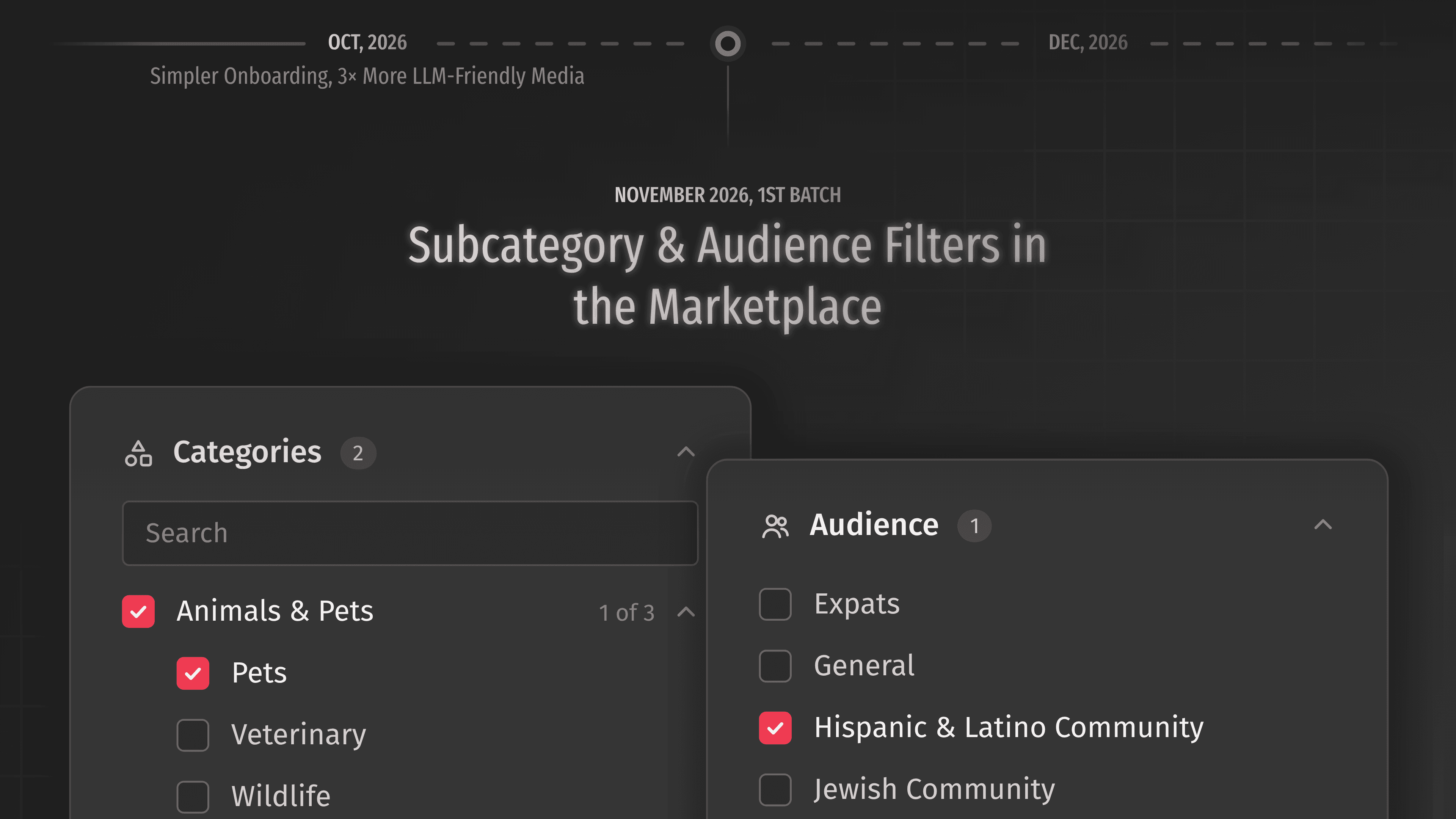
Finding the right media just got more precise. Categories in the marketplace now go one level deeper: open a category like "Animals & Pets" and you can pick the exact subcategories you need—Pets, Veterinary, or Wildlife—instead of the whole group. A small "1 of 3" counter shows how many subcategories you've picked, and every selection appears as a chip above the results, so you always see what's filtering your list.
There's also a brand-new "Audience" filter. If your story is meant for expats, the Hispanic & Latino community, the LGBTQ+ community, or men's and women's readerships, you can now narrow the marketplace to media that write for exactly those readers. Offer pages show the category, subcategory, and audience too, and publishers can set all three when they add or edit their media.
Yerkebulan built the filters and the new offer page details, with Pavel laying the groundwork on the backend.
Improvements
MarketplaceText conditions are now easier to understand: "Provided text published as is", "Publisher may edit provided text", and "Publisher's text only". The "Possible Text Changes" filter is gone, since the new labels already say who writes and edits the text.MarketplaceThe "Brands and Their Stories" block on the offer page now features a video from HackerNoon about reaching 4 million readers every month.DashboardsSergey brought your avatar to the main menu and the members board in both the client and publisher dashboards—no more grey circles.Media managementThe media name field now has a character limit, so names in the marketplace stay short and readable.AuthenticationRestricted accounts now see a clearer message when they try to log in: "Access restricted—contact support to learn more".
Fixes
Offers managementPublishers can no longer save an offer with an empty price or a turnaround time of 0.Offers managementSearching offers by media name works again, not only by URL.MarketplaceOffers with sponsored-follow hyperlinks now show that on the media page.MarketplaceThe labeling condition on some synced offers now matches what the publisher actually offers.MarketplaceOffers where the publisher writes the text now show the matching "Publisher's text only" condition.MarketplaceArticle language now shows in the catalog, so you know which language your placement will be published in.CampaignInsights now show the date they were last updated instead of the date they were first created.Members managementThe "Editor" role is back in the role list when approving a new join request.AuthenticationSigning up with LinkedIn now saves your name to your profile.