Medialister changelog
May, 2025
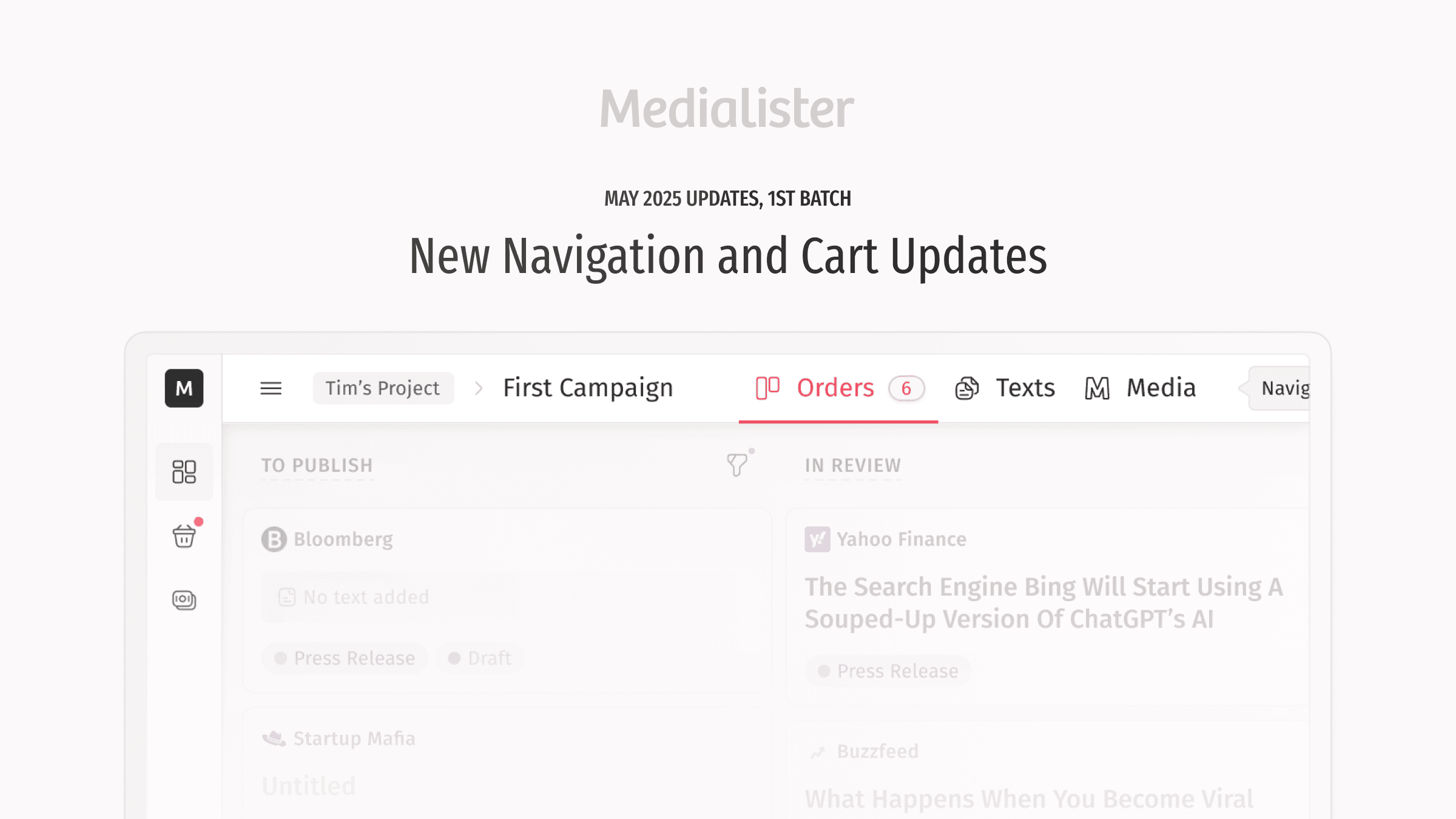
Over the past few months, we have been working not only on rolling out the publisher dashboard to a wider audience, but also on overhauling the overall layout and navigation for both clients and publishers. Here is the breakdown of what and why Artur and Yerkebulan have changed with it:
The marketplace was moved to the tab "Media" into campaigns. This change makes it clearer that when you open this tab, the suggested media are recommended specifically for the campaign you are currently working on.
A brand-new sidebar now replaces the header, preserving valuable vertical space. This allows for displaying more orders, a larger order drawer, and additional media in the marketplace.
The campaign header was combined into a single section again to save vertical space in the working area.
The marketplace now has a feature to hide and show the filters area to dedicate more space for the media table if needed
The cart itself is now more user-friendly:
As the marketplace was moved to the campaign view, the system now knows exactly which items in the cart belong to each campaign. Soon, we will ad ability to change the campaign for bookings right from the cart.
Every format now has a link to check it one more time before booking it
Media now have the link to their website to, again, check them if needed
You can now group items in the cart either by media, as before, or by campaign.
TIP: Use 1 and 2 to navigate between tabs in the campaign, ⌘/CTRL+K to open the campaign and projects search, ⌘/CTRL+S to open the marketplace search.
Client Side Updates
The order updates:
Yerkebulan improved the layout of the changed conditions and updated the conditions for the media swap feature, making it looks better with proper gaps.
The client dashboard:
Resolved an issue where a "1" appeared in emails after sending invitations. The invites worked correctly; the problem was only a visual bug.
The marketplace fixes:
The search input isn't jumping now when clicking on it
Publisher Dashboard Improvements
Rodion added explanations for the media types to help users when selecting one for new media.
Orders now display the potential earnings at the top
Now, when a publisher views an order, there are no annoying notifications about changed conditions or buttons to accept or decline them.
Other Updates
The help center moved to this address: https://roadmap.medialister.com/docs
Also, regarding the last changelog, we had experienced some issues with the previous release, but most of its features are now live.